
That QR Code Could Cost You More Than a Click
Those innocent-looking squares are the newest weapon in a hacker's toolkit and your team is scanning them like they're collecting Pokémon. 📱💀
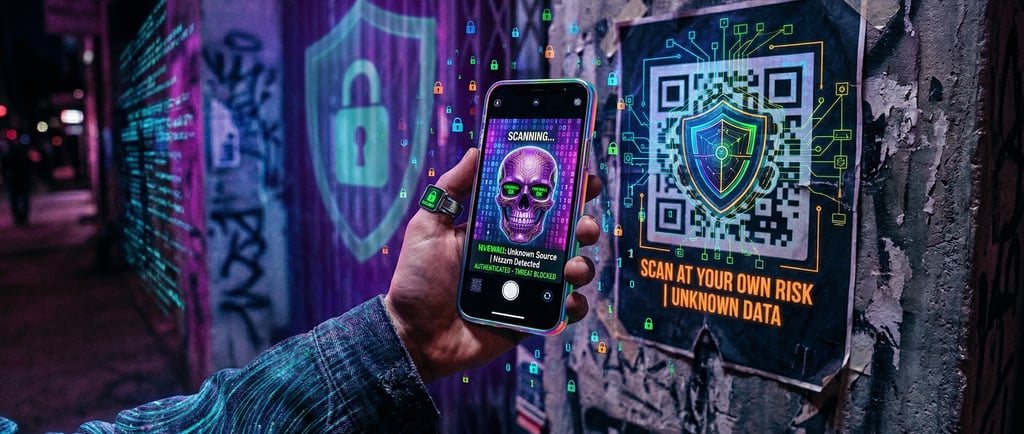
Your team scans QR codes every day. Restaurant menus, parking meters, event badges, delivery tracking tap the camera, scan the code, follow the link. No one thinks twice.
That's exactly what attackers are counting on. 🎯
QR code attacks or "quishing," because the cybersecurity industry loves making everything sound like a breakfast cereal are surging because they exploit the one thing no security tool can fully patch: human trust. Unlike a suspicious email link you can hover over and inspect, a QR code hides its destination completely. You don't know where it leads until your phone is already there. Kind of like clicking "I agree" on terms and conditions, except this time there are actual consequences. 😬
A Real-World QR Catastrophe 🚨
Here's a scenario that actually happened. Employees at a mid-sized company arrived at work one morning to find a professional-looking sign near the entrance: "New High-Speed WiFi — Scan Here to Connect!"
Several people scanned without hesitation. Because who doesn't want faster internet, right? 📶
Plot twist: that sign wasn't from IT. The QR code led to a page that silently downloaded malware onto every phone that visited it. The aftermath? Over $120,000 in incident response and recovery costs, one very awkward call with their cyber insurance provider, and a company-wide training session that was about as fun as watching paint dry. 💸
Not exactly the kind of team-building experience HR recommends.
All from a printed sign and a two-second scan.
Where QR Attacks Are Showing Up 🕵️
Attackers are getting creative with placement, and most of these scenarios don't look suspicious at all.
The Conference Badge Trick 🎫 — That barcode on your event lanyard contains more than your name. If someone scans it — or convinces you to let them — they could be harvesting credentials, contact details, or session tokens. Before you know it, someone in another country is living your best professional life with your identity. At least they'll probably update your LinkedIn more often than you do.
The Fake Delivery Code 📦 — A QR code in a "missed delivery" notice doesn't always lead to a tracking page. It might redirect to a credential harvesting site dressed up to look exactly like your courier's login portal. And no, they're not using your stolen password to send you surprise gifts.
The Parking Meter Sticker 🚗 — Attackers have been caught placing fraudulent QR stickers over legitimate payment codes at parking meters and EV charging stations. You think you're paying for parking — you're actually handing your card details to someone whose LinkedIn skills probably include "creative finance" and "identity acquisition." Not the connection request you want to accept.
The Office Poster 🖨️ — Just like the WiFi sign scenario above, anyone can place a QR code in your physical workspace. A "survey" poster in the break room, a "benefits enrollment" flyer near the coffee machine. If no one verifies it came from an official source, it's a wide-open attack vector disguised as corporate wallpaper.
Why This Matters More Than You Think 😱
If your business provides services to other companies or even just shares a network with partners and vendors a compromised device doesn't just affect you. It can cascade into client environments faster than gossip in a group chat.
Attackers know this. They specifically target service-oriented businesses because one successful breach opens the door to dozens of downstream organizations. That's the kind of efficiency even your management would be impressed by. One scan, multiple victims. Hackers love a good ROI. 📊
How to Keep Your Team Safe (And Keep Your Security Team From Sending Yet Another Email) 🛡️
Question Everything 🤔 — See a random QR code? Ask yourself: "Would I hand my unlocked phone to a stranger for five minutes?" Apply the same logic. If it feels sketchy, it probably is. Your instincts have survived millions of years of evolution — let them do their job.
Preview Before You Tap 👀 — Most modern phone cameras show you the URL before opening it. Take one second to read it. If a "WiFi Setup" code is trying to send you to www.definitely-not-stealing-your-data.ru — maybe reconsider your life choices.
Report Suspicious Codes 🚩 — See something weird? Tell your IT or security team immediately. Catching it early prevents a much bigger problem. And don't worry — good security teams only judge silently, never out loud.
Keep Your Devices Updated 🔄 — Those annoying system updates aren't just adding new emoji options. They're patching security holes bigger than the excuses for missing project deadlines. Stop hitting "Remind Me Later."
Trust Your Gut 🦸 — If something feels off about a QR code's placement, context, or the page it opens — back out. Your FOMO will heal. Your compromised bank account might not.
The Bottom Line
QR codes have become so routine that we've stopped questioning them entirely. That blind trust is the vulnerability. Teaching your team to pause for two seconds before scanning is one of the simplest and most effective security habits you can build — and unlike most security solutions, it costs absolutely nothing to implement. 💡
Not Sure Your Team Would Pass the Test? 🧪
MSPE helps businesses build security awareness that actually sticks — not a one-time slide deck that everyone forgets by lunch. From simulated phishing and quishing exercises to ongoing awareness programs tailored to your industry, we help your team recognize threats before they become expensive lessons.
Want to find out how your team would handle a rogue QR code? Reach out at info@mspe.pro — we'll help you find out before an attacker does. 🔐
MSPE — Unlocking the Power of Choice. Managed IT & Cybersecurity Services for SMBs, Schools, Law Firms & Charities.