
That Email From Your Boss? It Might Not Be From Your Boss.
Phishing is the number one way businesses get breached — here's how to spot it before it's too late.

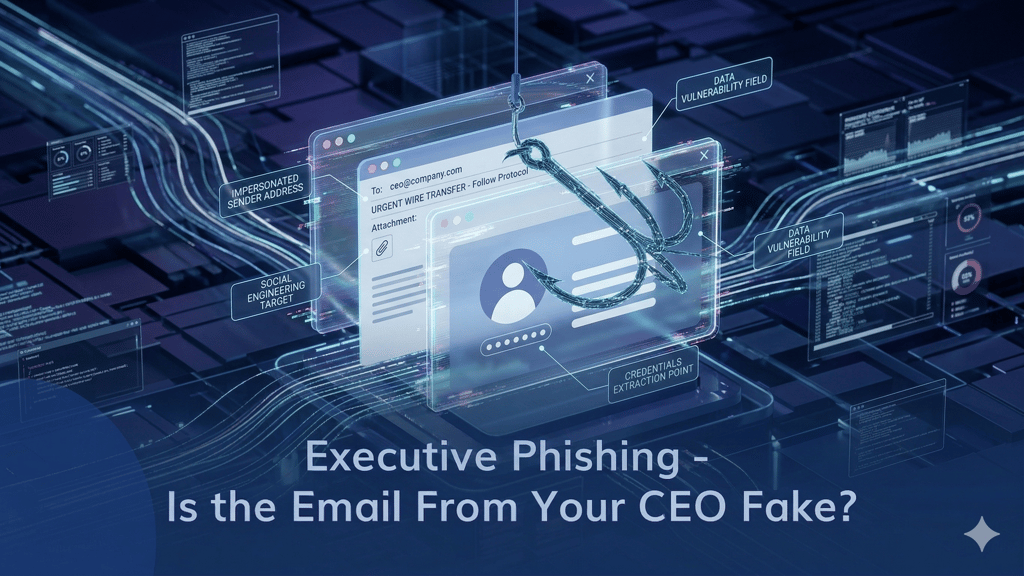
It starts with a perfectly normal-looking email. Maybe it's from your bank, your CEO, or a supplier you work with every week. The logo is right, the tone feels familiar, and there's a link asking you to "verify your account" or "review this invoice."
Except none of it is real. And the moment someone on your team clicks that link, the damage begins.
Phishing remains the most common entry point for cyberattacks not because the emails are sophisticated, but because they're designed to exploit the one thing technology can't fully patch: human trust.
What Is Phishing, Really?
Phishing is when an attacker sends a fake email disguised as a legitimate one, hoping to trick the recipient into clicking a malicious link, opening a dangerous attachment, or handing over sensitive information like passwords and financial details.
The scary part? These emails are getting better every year. AI-generated phishing messages are now nearly indistinguishable from real ones. A generic "Dear Customer" scam from 2015 has evolved into a personalized message that references your actual projects, colleagues, and company name.
Four Signs You're Looking at a Phishing Email
1. The Sender Looks Right — But Isn't 🕵️
This is the most dangerous trick in the book. Attackers register domains that look almost identical to real ones. The difference might be a single character a Cyrillic "а" instead of a Latin "a," or "rn" instead of "m." At a glance, "adam@company.com" and "аdam@company.com" look identical. They're not.
What to do: Hover over the sender's address before doing anything. Most email clients will reveal the actual address in a tooltip or at the bottom of the screen. If anything looks off even slightly don't interact with it.
2. It Wants You to Panic 🆘
"URGENT: Your account will be locked in 10 minutes." "Immediate action required — your payment failed." "Your CEO needs this wire transfer completed NOW."
Phishing emails are built on urgency. They want you to react before you think. A legitimate organization will never threaten to shut down your account if you don't click a link within minutes. If an email is trying to rush you, that's exactly when you should slow down.
3. There's an Attachment You Didn't Expect 📎
If you weren't expecting a file — especially a .zip, .exe, .docm, or anything with macros — don't open it. Even PDFs and Excel files can carry embedded malware. Think of an unexpected attachment like a package you didn't order showing up at your door. It might be harmless, but you wouldn't open it without checking first.
4. The Link Doesn't Go Where It Says It Does 🔗
A button that says "View Invoice" might actually point to a completely different domain hosting a credential-harvesting page. Hover over any link before clicking it — the real destination will appear in your browser's status bar or as a tooltip. If the URL looks unfamiliar, shortened, or stuffed with random characters, stay away.
What to Do When You Spot a Phishing Email
Don't just delete it and move on. A phishing email that reached one person on your team probably reached others. Here's the right response:
Don't click, don't reply, don't forward. Any interaction even replying to say "this is fake" confirms to the attacker that the email address is active.
Report it immediately. Whether your organization has a dedicated report button, an IT helpdesk, or a managed security provider like MSPE flag it. Fast reporting lets the security team block the sender and warn everyone else.
Check if anyone else clicked. If someone already interacted with the email, act fast: reset their credentials, scan their device, and check for any unauthorized access. The first 30 minutes after a click are critical.
Going Deeper: Tools for Investigating Suspicious Emails
For teams that handle client-reported suspicious emails or manage their own security, there are a few quick steps that make a big difference:
Analyze links safely. Run suspicious URLs through tools like VirusTotal or URLScan before anyone clicks. These services scan the destination and flag known malicious domains — think of it as x-ray vision for bad links.
Use an isolated environment. If you need to open a suspicious file, do it in a sandboxed environment an isolated virtual space that keeps your main system completely untouched. Windows Sandbox, built into Windows 10/11 Pro, is a quick option for this.
Inspect email headers. The full headers reveal where an email actually originated, which servers it passed through, and whether authentication checks like SPF, DKIM, and DMARC passed or failed. If the sender claims to be your bank but the headers show a server in a completely unrelated country, you have your answer.
Why Phishing Training Alone Isn't Enough
Awareness matters but it's only one layer. People make mistakes, especially under pressure. The businesses that survive phishing attacks are the ones that have technical safeguards backing up their people:
Email filtering that catches malicious messages before they reach inboxes. Multi-factor authentication that makes stolen passwords useless on their own. Endpoint protection that detects and blocks malware even if someone opens a bad attachment. Incident response plans that kick in immediately when something slips through.
No single tool covers all of this. It takes the right combination — and that's where having an expert in your corner makes the difference.
Not Sure How Protected Your Team Really Is?
MSPE helps businesses build layered defenses against phishing — from email security and endpoint protection to awareness training and incident response planning. We evaluate what you have, identify what's missing, and recommend the best tools for your environment. No single-vendor bias, no unnecessary upsells — just the right solution for your team.
Because when the next phishing email lands in your inbox — and it will — the question isn't whether your team recognizes it. It's whether your systems catch it even if they don't.
Want to know where your gaps are? Reach out at info@mspe.pro — let's make sure your team is covered.
MSPE — Unlocking the Power of Choice. Managed IT & Cybersecurity Services for SMBs, Schools, Law Firms & Charities